
Create your studio
Start without a setup ceremony.
Create a Free workspace directly. No payment method and no approval gate.
1 owner · 1 active project · 100 MB
Create the workspace. Explore a complete sample. Bring one real project. Expand from there.
One owner, one active project, and 100 MB storage.
Create the workspace immediately and upgrade later.
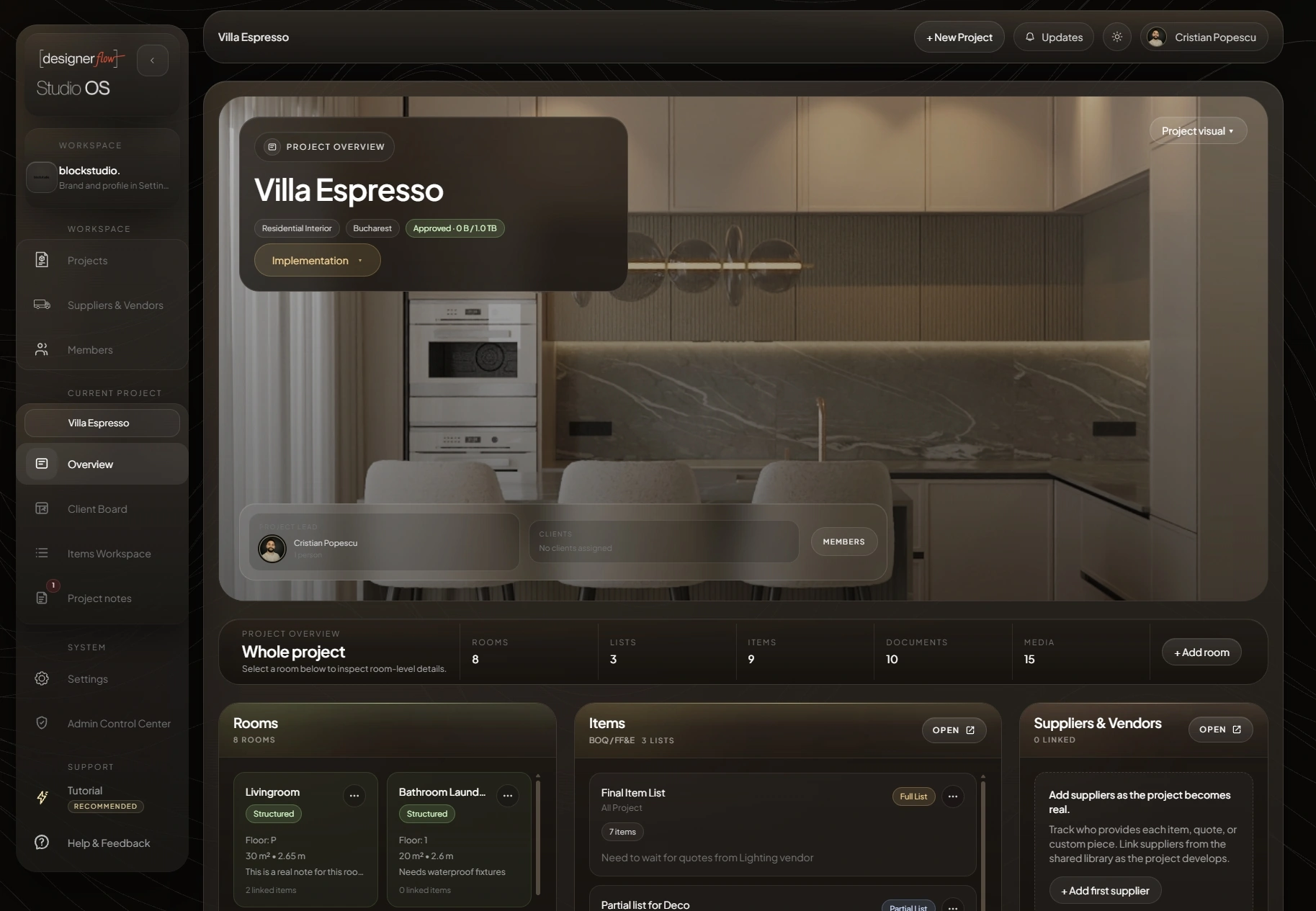
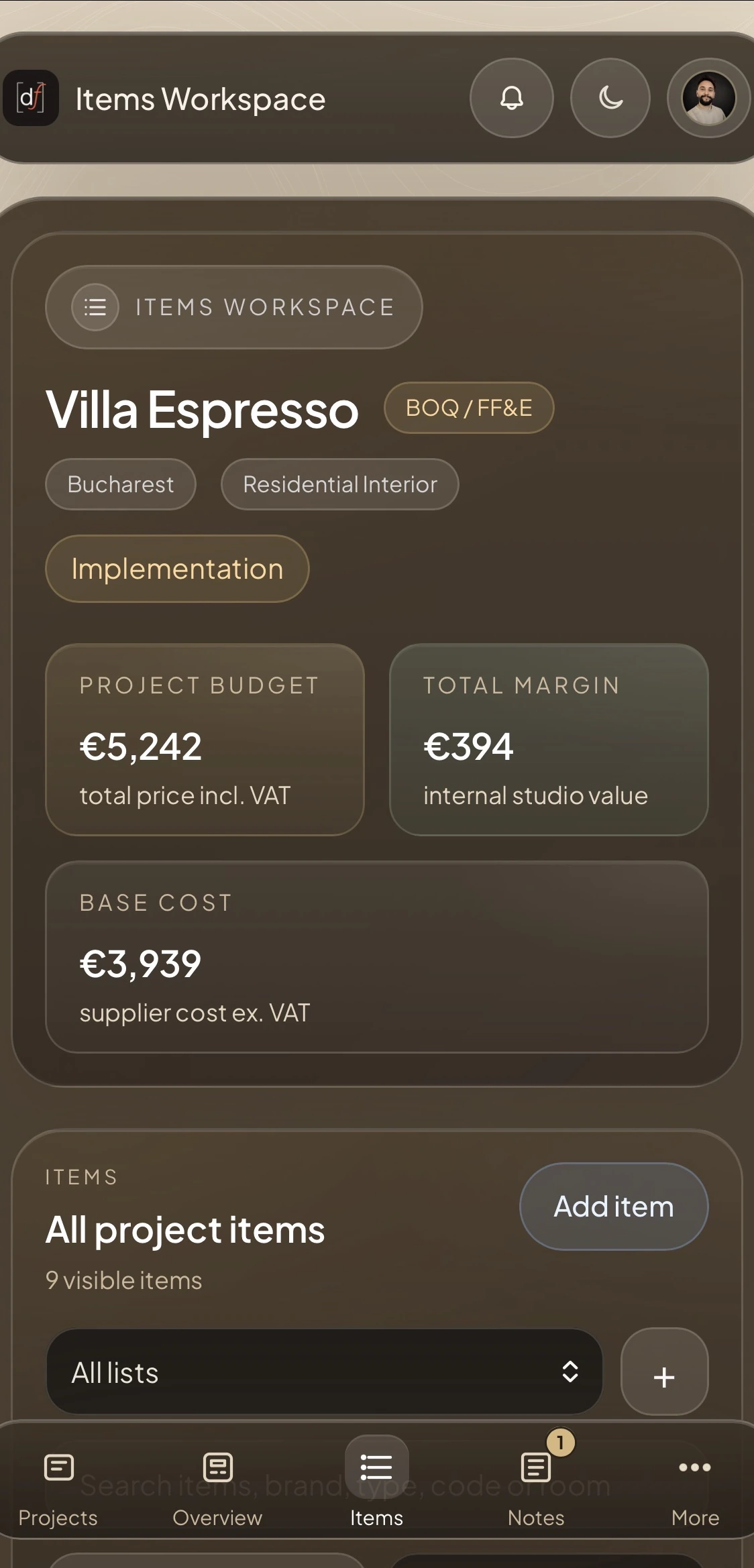
DesignerFlow becomes useful through a project. The setup path is deliberately short.
Create a Free workspace directly. No payment method and no approval gate.
Villa Espresso provides a populated reference for project identity, rooms, sourcing, totals, and item context after signup.
Create the project, then add rooms, lists, items, suppliers, documents, and renderings as the project develops.
Add team access and publish client-visible lists, documents, renderings, and comments when the project is ready to share.
Desktop and mobile use the same responsive project state, whether the studio is sourcing, reviewing, or answering the client.
DesignerFlow starts self-serve. Paid plans add more onboarding and support as the studio grows.
Start directly in the product.
For an independent workflow that needs a little guidance.
More support when a studio brings active work into the system.
For larger teams coordinating adoption.